Prediction images
A table of numbers is hard to judge. To check whether the analysis understands a preset, the research drew a prediction image: a picture of what the preset should look like after five seconds, made from the analysis alone and frozen before the preset was rendered. This page covers how such an image is made, how the real render it is compared with is captured, and what the comparison can and cannot show.
Prediction images do not decide moods
The shipped Mood table never uses prediction images; the moods come from the static estimates. Prediction images are a validation tool for people, a way to see whether the facts describe the right picture. They are a frame-by-frame simulation, which the rules for moods forbid as an input (the rules), so they are used only to check the mathematics.
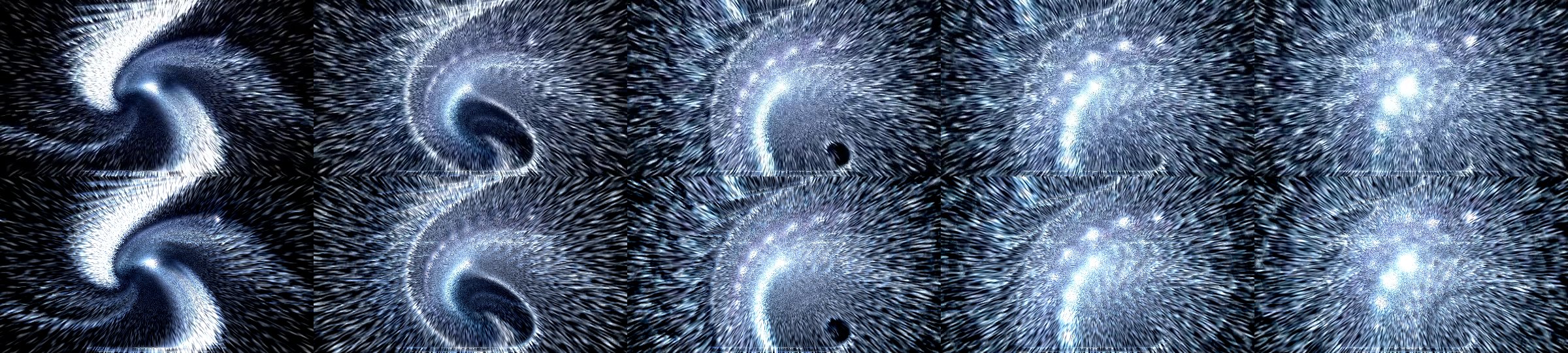
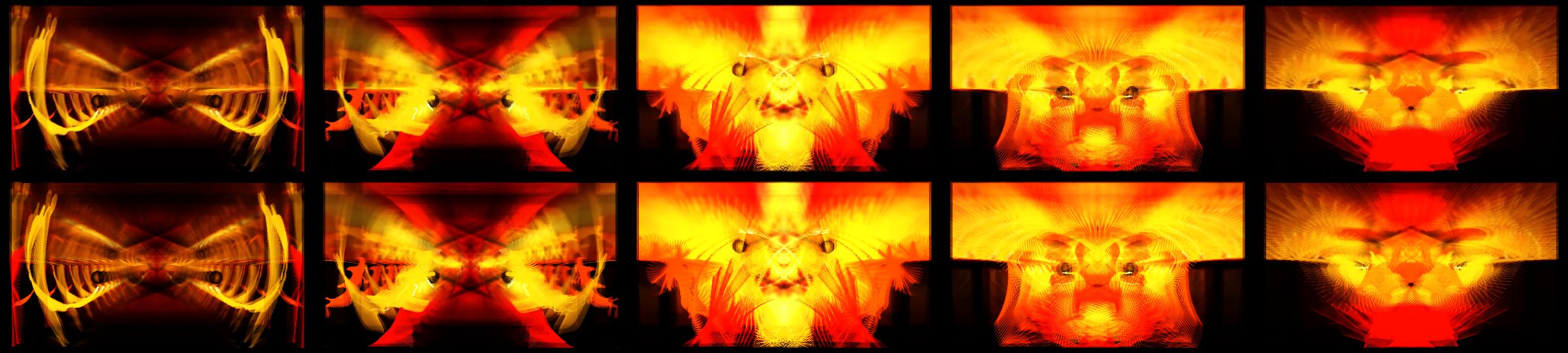
Top row: the real render at 1, 2, 3, 4 and 5 seconds. Bottom row: the prediction at the same moments. The preset is a chaotic particle storm, predicted frame for frame.
What goes in
The image is drawn by prediction_illustration.py from one input, the preset's understanding summary (preset-understanding-v1, see Reading a preset). It does not read the .milk file and never sees a rendered frame, and its record says so: reads_preset_source: false, uses_rendered_images: false.
The summary provides, and the illustrator evaluates:
- the exported closed-form graphs: the per-frame state program, the warp and composite shader programs, per-pixel mesh terms, custom-wave point programs and shape instance recurrences;
- the declared context: viewport (480×270 for the checkpoints), feedback frame rate (30 fps), mesh size (48×32);
- the facts about drawn elements: built-in wave mode, colours, alpha, additive or blended drawing, borders, motion vectors.
There is one external input, the declared audio. It is a per-frame sequence of bass, mid and treble values and the PCM waveform (fixtures/reference-band-sequence-2026-10-12.json, 300 frames at 30 fps), derived from the same synthetic 110 BPM track (bass, pads, noise) that the emulator plays.
How a frame is made
The illustrator runs the feedback loop at the declared viewport for 150 frames, ending at t = 5.0 s. It starts from a black canvas, as the engine does when a preset loads. Each frame follows the engine's order:
- Step the per-frame program. The exported per-frame recurrence is evaluated as numbers with the frame's time and audio values:
qvariables, zoom, rotation, decay, wave and shape controls. Random numbers follow projectm-eval's own cold-start stream and draw order. - Draw motion vectors into the previous frame, before the warp, as the engine does.
- Warp. The backward map (zoom, rotation, stretch, translation, per-pixel terms) is evaluated at the 48×32 mesh vertices and interpolated over the mesh triangles. If the preset has a warp shader, its exported program is then evaluated per pixel, including the engine's blur bank (three blur levels, 8-tap, stored as 8-bit and decoded as the engine does). Otherwise the image is resampled and multiplied by decay.
- Store as 8-bit. The canvas is rounded to 8 bits per channel each frame, like the engine's texture. This rounding is what makes dim trails stick (decay orbits).
- Draw built-in waveforms (modes 0 to 9) from the declared PCM, textured shapes with their instance recurrences, custom-wave point clouds, borders and darken-centre, each blended as the engine blends them.
- Composite. The composite shader's exported program is evaluated per pixel on the canvas (or the legacy gamma, echo, solarize and invert controls are applied), giving the displayed frame.
The last displayed frame is saved as the prediction image. The same run can also report statistics over its frames (brightness, colour, motion), and the comparisons below are computed from them.
Stand-ins for what the source cannot say
Noise textures are regenerated with MilkDrop's own procedural noise. Random library textures (sampler_rand00…) use the per-pixel mean of the candidate textures, since the engine picks one of them at random. Unresolved terms, meaning controls whose range the analysis could not bound, are held at the middle of their range, and so are audio-driven uniform terms in shaders.
Recorded limitations
Every image has a JSON record listing its inputs' hashes and its limitations. A typical record ("suksma - delicious carnal amorality") lists, among others:
- feedback content starts from the cleared (black) canvas, as at preset load;
- motion is evaluated at the 48×32 mesh vertices and interpolated over its triangles;
- the warp and composite shaders are evaluated per pixel from their exported programs (engine blur bank, noise stand-ins);
- built-in waveforms are drawn per frame from the declared reference PCM (projectM modes 0-9; wave alignment omitted);
- closed-form custom-wave point clouds are drawn per frame, with wave state stepped from its exported recurrence;
- content older than 150 frames is omitted;
- it is an illustration of frozen source facts, not a renderer: smoothing, exact rasterisation and some wave details are omitted.
How the real render is captured
The render used for comparison comes from the real engine, unchanged:
- the published core library (AAR version 2.3.34) running through its public JNI interface in a task-owned Android emulator (API 34, arm64, SwiftShader GLES through ANGLE); physical TVs were never used for checkpoints;
- one preset only, loaded from an overlay package, with every pushed file hashed and checked;
- 480×270, 300 frames at 30 fps, a simulated clock and a fixed random seed;
- the same synthetic audio as float PCM, 1,470 samples per frame at 44.1 kHz, quantised to the 8-bit waveform the engine receives;
- the screenshot is frame 149 (5.0 s), the moment the prediction shows, and a 10-second clip is recorded alongside.
Before the capture starts, the hashes of the prediction image, its record, the understanding summary, the recipe and the plain-language description are written down, and after the capture they are checked again. A prediction therefore cannot be adjusted after the render has been seen.
How they are compared
Each checkpoint has a self-comparison record with:
- single-frame brightness and mean colour of the prediction and the screenshot, and their blurred brightness correlation (layout);
- time averages over frames 60 to 149: brightness, saturation and blurred correlation of the average picture (from the prediction's own frames and the capture's frames);
- mean frame-to-frame change over frames 60 to 149 for both, which measures how busy the picture is;
- the agreements and misses of the plain-language description, and a verdict.
Single frames of chaotic presets can differ even when the analysis is right, because a reaction-diffusion front or a particle storm is sensitive to tiny differences. The time averages and frame differences therefore carry more weight than one screenshot.
Frame strips
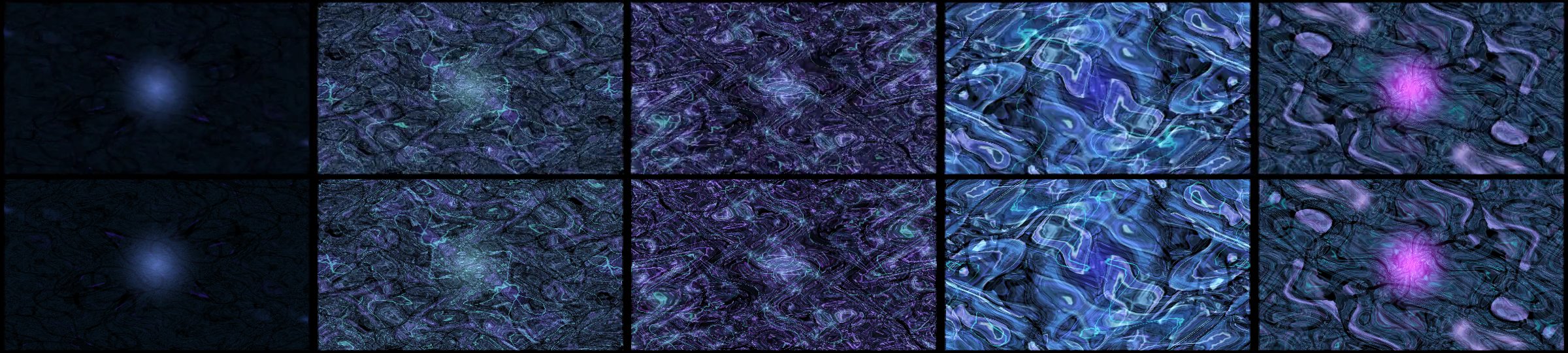
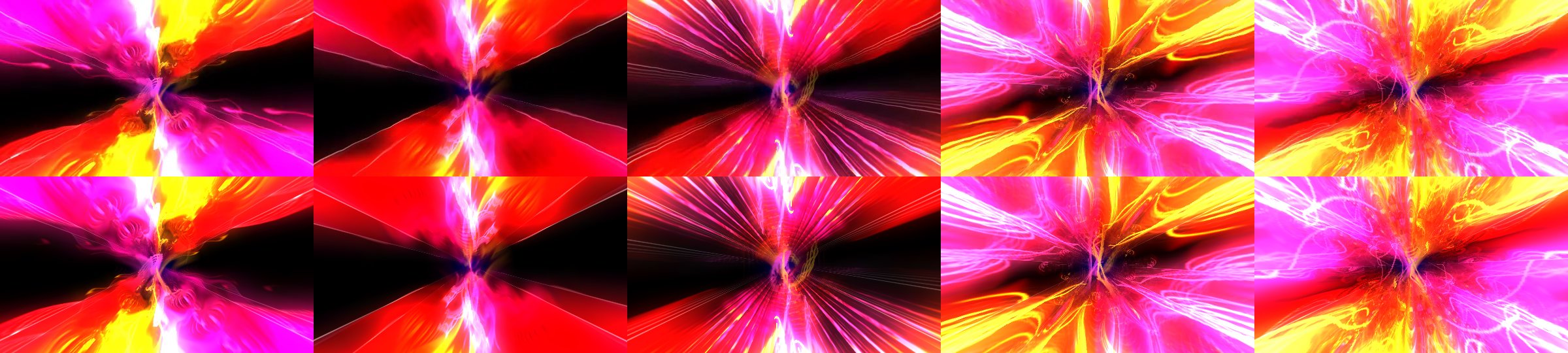
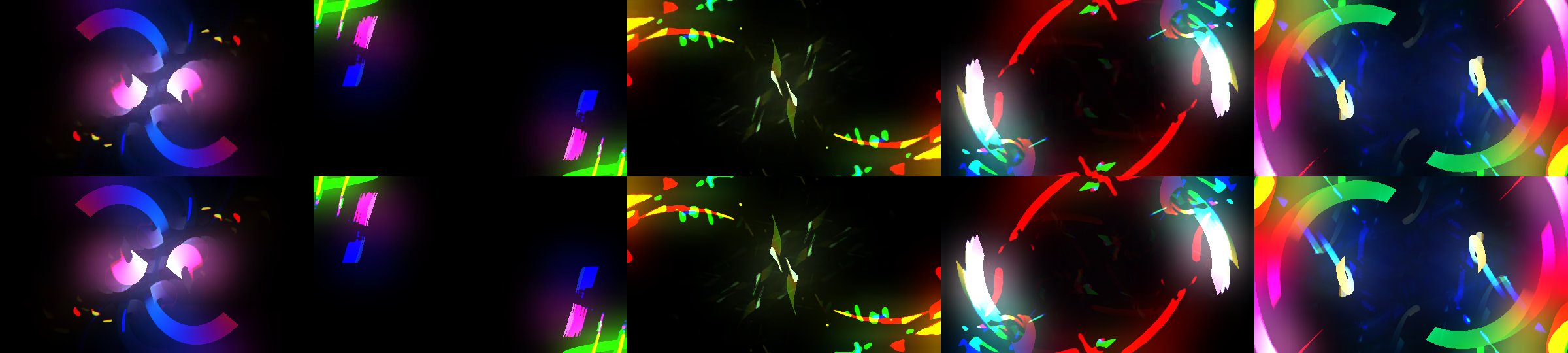
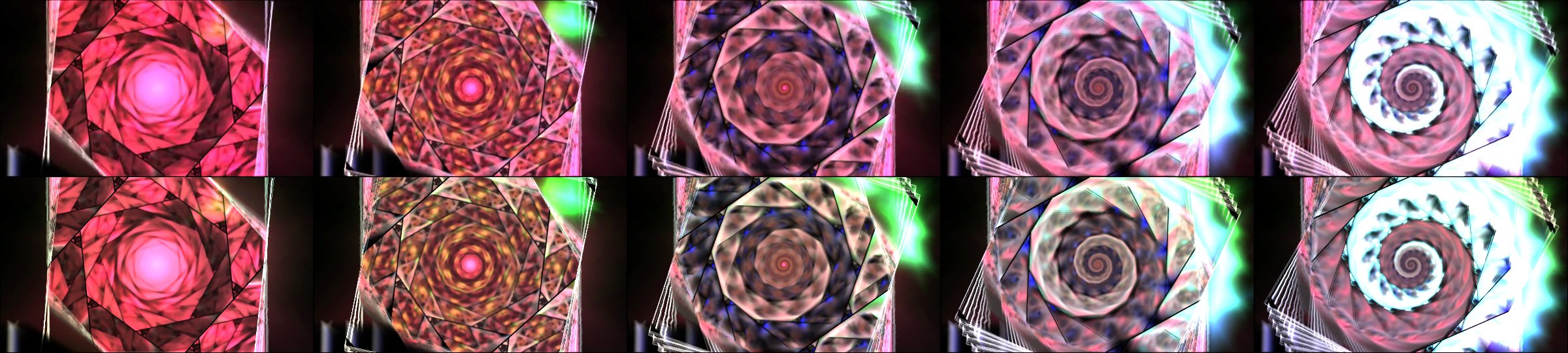
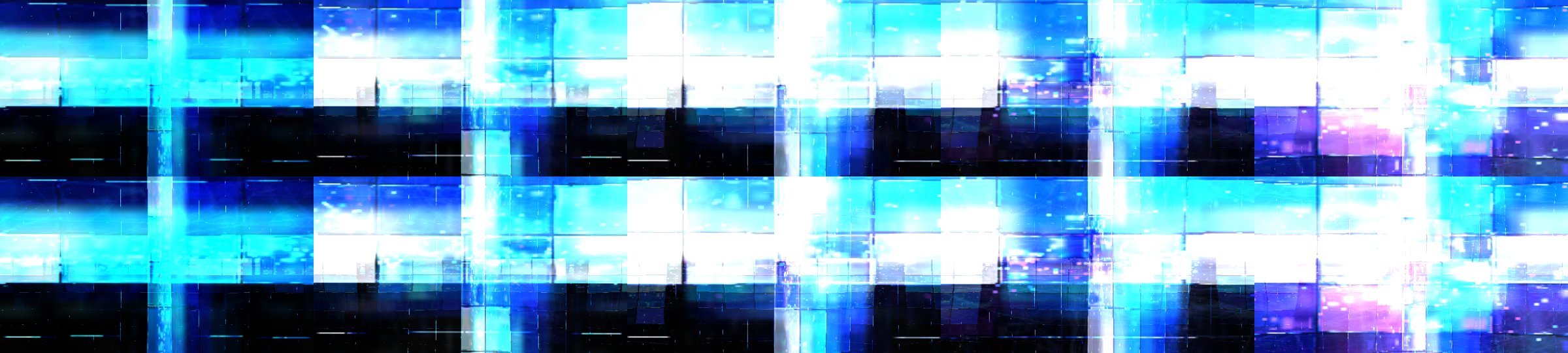
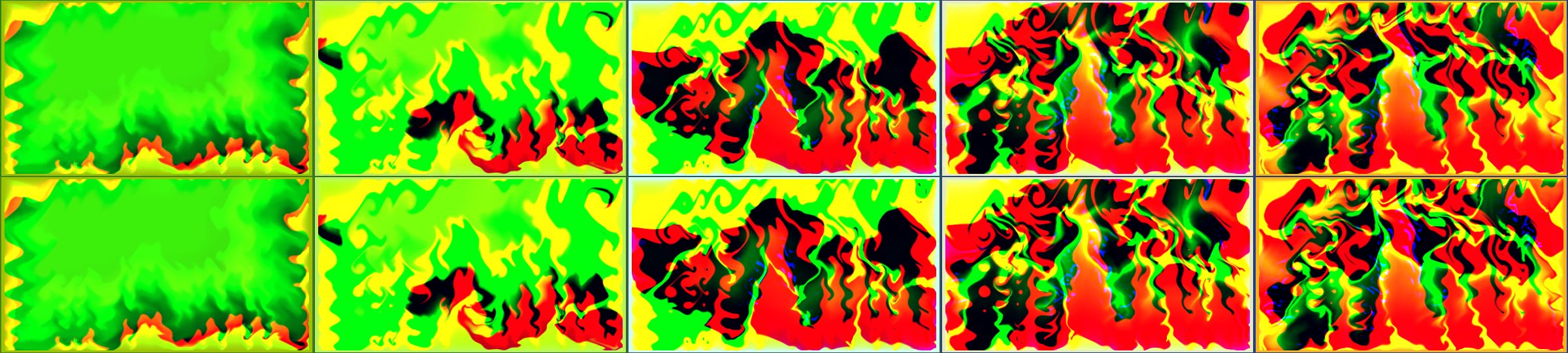
For this guide, eight showcase presets were re-run with the current illustrator, keeping the frames at 1, 2, 3, 4 and 5 seconds, and placed under the render's frames at the same moments. These strips were made after the captures (the frozen single-frame predictions are in the gallery). They show the agreement holding over time as well as at the moment of the screenshot.
What it costs
Drawing one prediction (150 frames at 480×270, every shader evaluated per pixel in NumPy) took between 5 and 122 seconds per preset for the strips above, on a laptop that was also running other analysis. That is far too slow, and too close to rendering, to feed the moods. It is cheap enough to check a few hundred presets by hand, which is what it is for.
Why prediction images matter
A prediction image that matches the render is strong evidence that the facts are right: the warp transfer, the decay orbit, the colour formulas, the wave modes, the random stream and the composite. When it does not match, the difference points to the missing mechanism. Many of the corrections in the journal began as a prediction image that looked wrong: a black prediction for a dark-red flowing scene (Dragonfly Wings), an overexposed glow with lobes where the render showed one round sun glow (martin - time machine), and a bright red field of long radial lines where the render showed a dark brown field of warped vector ticks. Each was traced to a general rule, fixed for every preset, and checked against the corpus.