Custom preset packs
You can upload your own MilkDrop presets and textures to either visualizer from another device on the same network. You don't need a file picker, USB stick or storage permission.
In F-Droid editions, your custom pack is separate from the optional Cream of the Crop download, so Custom stays available when you download or remove that collection. All combines Custom with whichever starter or full library is currently available, and the Mood options use that library's predicted attributes.
Upload a pack
- Put your
.milkfiles and any texture images in one ZIP. Folders inside the ZIP are fine. - On the device running the visualizer, open Settings › Advanced › Custom preset pack. A QR code appears.
- Scan it with another phone on the same Wi-Fi or Ethernet network. The browser opens an Upload preset pack page.
- Choose the ZIP and select Upload ZIP. Keep the visualizer's dialog open while it imports; it shows Importing: N presets….
- When it finishes, the visualizer shows Imported N presets and M textures. Custom is now selected.
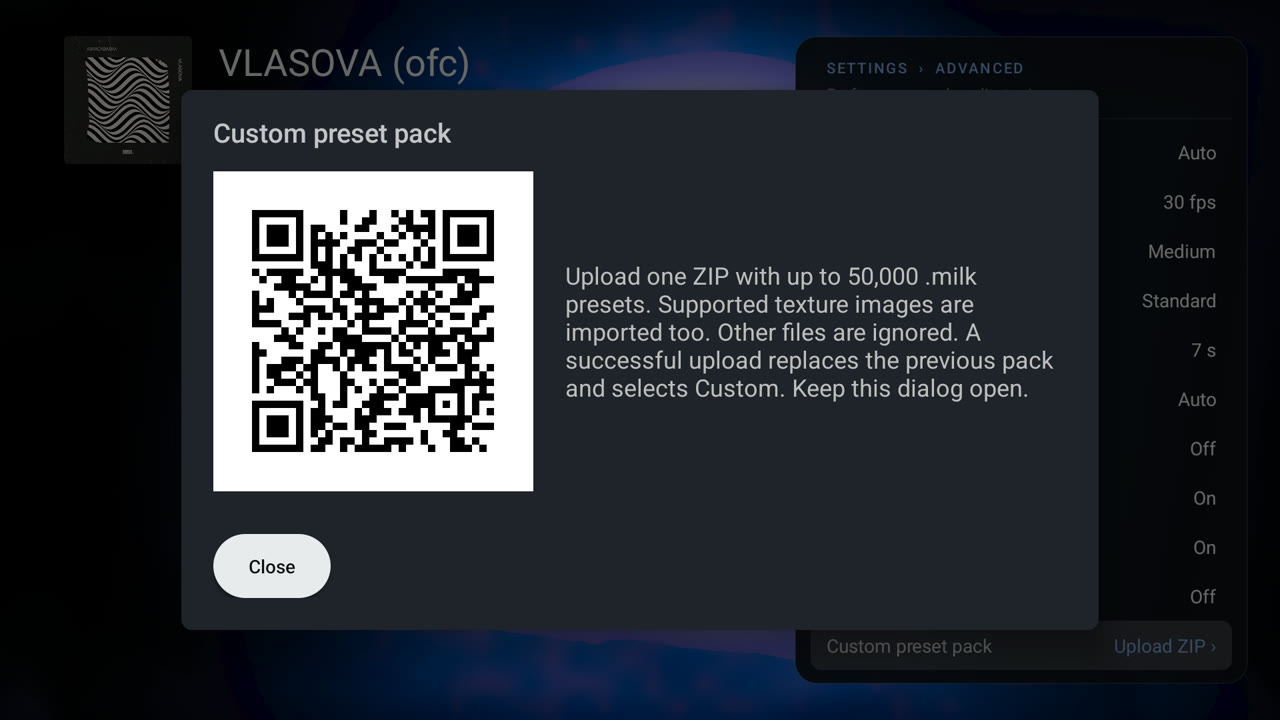
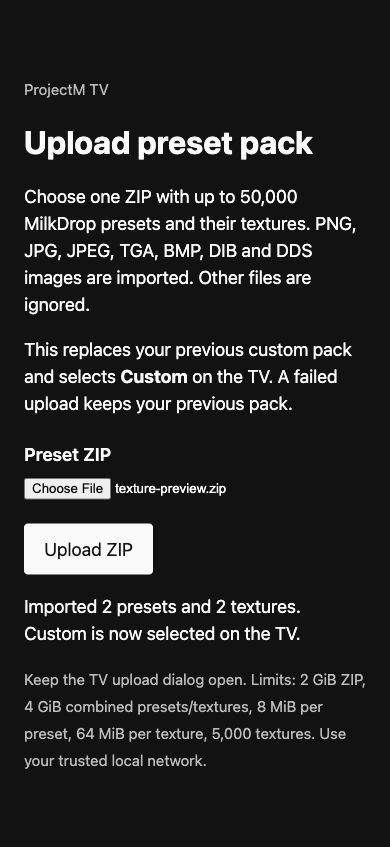
The QR code in the capture is an example and no longer active; scan the code the visualizer shows.
On a phone or tablet, use a second device for the upload: switching from the visualizer to a browser on the same phone pauses the app and closes its upload listener.
What gets imported
| Item | Limit |
|---|---|
| Presets | Up to 50,000 .milk files (any case, nested folders), 8 MiB each |
| Textures | Up to 5,000 images: PNG, JPG/JPEG, TGA, BMP/DIB, DDS, 64 MiB each |
| ZIP | 2 GiB compressed, 4 GiB extracted presets and images, 250,000 entries |
| Other files | Ignored |
Presets refer to images by name without extension, ignoring case (sampler_clouds finds Clouds.PNG). Texture names must therefore be unique ignoring case and extension across the whole ZIP, even in different folders. Some DDS compression formats are not supported by every device's GPU.
How packs behave
You can have one pack at a time; a successful upload replaces the previous pack.
Once a pack exists, Preset mood shows a Collection row with Built-in or Custom. Custom plays only the pack's presets. With Built-in and nothing selected, bundled and custom presets play together. While any Mood option is on, only bundled presets with attributes play. Custom presets have no attributes, so choose Custom to play them.
A custom preset looks for images in its own pack first, then falls back to the textures of the available base collection. The texture-free F-Droid starters supply none, so download the full collection or include the required images in your ZIP. Base presets keep their own images, and during a blend each preset keeps its source images. MilkDrop only ever had one texture folder, so this needed an engine change.
Custom presets are skipped in the same way as bundled ones when they fail to load, stay black or run too slowly.
The pack and the Custom selection survive restarts and app updates. Packs are excluded from Android backup, so upload the ZIP again after reinstalling, clearing app data or restoring onto another device.
An invalid ZIP, a cancelled upload or insufficient storage leaves the previous pack in place. While a pack is being replaced, the device temporarily needs room for the old pack, the incoming ZIP and the new pack.
Network and privacy
- The listener runs only while the dialog is open. Closing the dialog or leaving the app stops it and cancels an unfinished upload.
- Each time the dialog opens it uses a new random port and a random 128-bit session path, shown only inside the QR code.
- It binds a private IPv4 address on Wi-Fi (preferred) or Ethernet and never uses VPN or point-to-point interfaces. Guest networks that isolate clients may block the uploading device from reaching the visualizer.
- The page must be opened at the address in the QR code. Only one import runs at a time, and a transfer may take up to one hour.
- The upload uses plain HTTP on your local network and is not encrypted. Use a network you trust.
Make presets
Writing presets explains how presets work, and Test and predict presets shows how to check a pack before you upload it.