Remote and touchscreen controls
Touchscreen Android
Install ProjectM Android on a phone or tablet to get the same landscape visualizer and settings with touch controls:
| Gesture | Action |
|---|---|
| Swipe right | Random preset, instant cut (same as remote Right) |
| Swipe left | Previous preset, instant cut (same as remote Left) |
| Single tap on the visuals | Open the menu; close it if already open |
| Tap a setting row | Cycle its value or run its action |
| Vertical swipe in a panel | Scroll to more settings |
| Back to menu / Close menu | Return from a submenu / close the panel |
Slow horizontal swipes work too, while vertical drags and cancelled gestures leave the preset alone. Scrolling a menu stays within that menu. Any touch restarts the 10-second inactivity timer, and the menu stays open while a finger is down. The TV build keeps its remote controls.
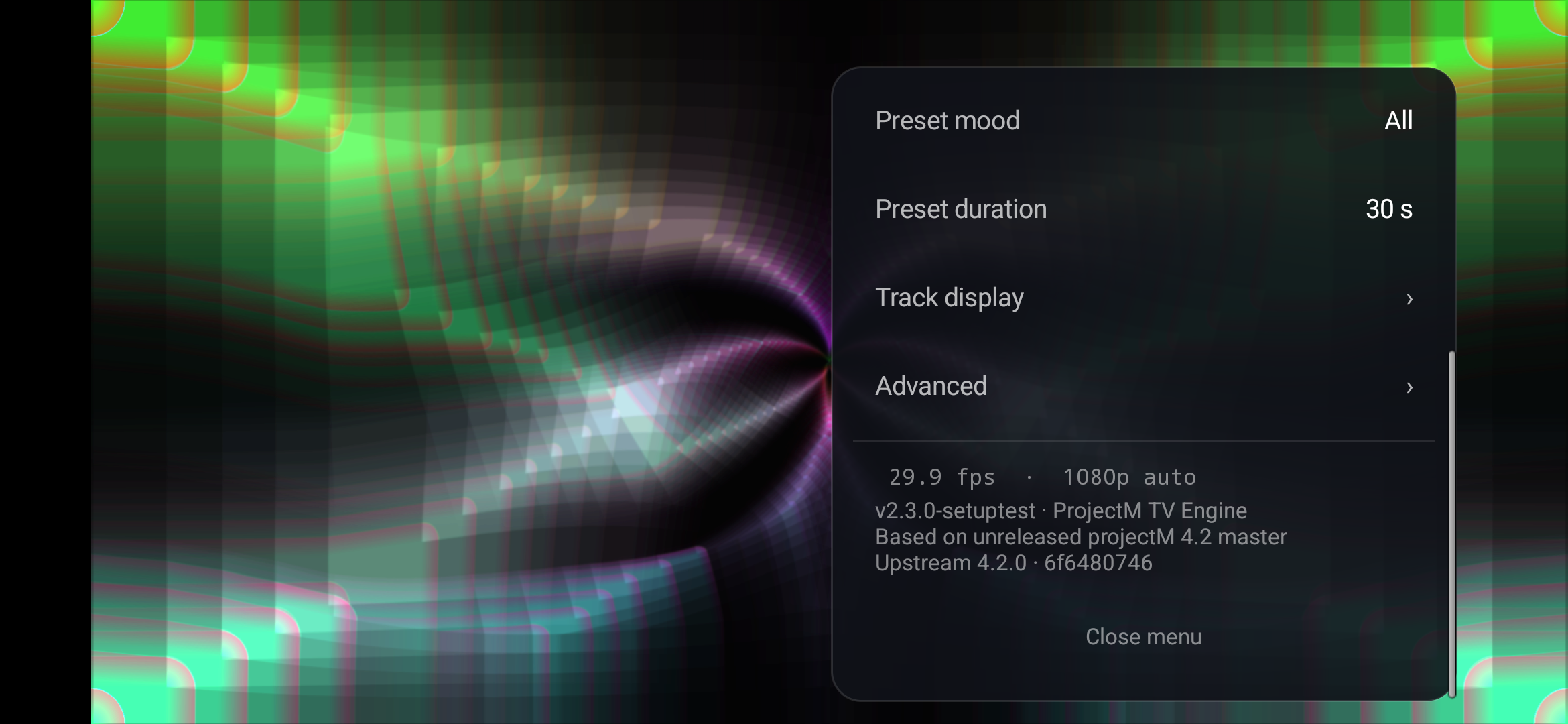
Phone emulator capture of the touch menu layout, taken from the touchscreen validation build; the version label shown is that build's.
TV remote: while visuals are showing
| Key | Action |
|---|---|
| Right, Next, Fast forward | Random preset, instant cut |
| Left, Previous, Rewind | Previous preset, instant cut |
| Up, Down, Info | Show the playing track again (needs notification access and Track info on) |
| Center, Enter, Menu | Open the settings panel |
| Back | Exit the app |
Preset switches from the remote are always instant cuts; only automatic preset changes blend.
TV remote: in the settings panel
| Key | Action |
|---|---|
| Up / Down | Move between rows |
| Left / Right | Change the focused value |
| Center | Cycle the value, or run the row's action |
| Back | Close the panel; from Advanced, Track display or Preset mood, return to the main panel |
| Menu | Close the panel |
The panel hides after 10 seconds without input, and every key press restarts that timer. The custom-pack upload dialog is the exception: it stays open until you close it.
The main panel
On TV, focus starts on the Random button when the panel opens, or on Install when an update is ready. From top to bottom, the panel shows:
- Preset: the name of the playing preset.
- Presets in rotation: how many presets your current mix can play, and how many this TV has skipped.
- Audio: a live meter and status: Listening, Very quiet, No sound or No access.
- Previous / Random / Next buttons, all three instant cuts. Next follows the shuffled order, and Random picks any preset in your mix.
- On phones, Audio input chooses Microphone or Phone playback.
- Auto change, Preset mood › and Preset duration, then Track display › and Advanced ›.
- A status line with the current frame rate and render size (for example 30.0 fps · 4K auto).
- The engine version: v‹version› · ProjectM TV Engine / Based on unreleased projectM 4.2 master / Upstream 4.2.0 · 6f6480746.
Preset mood › opens the Mood panel (Settings › Preset mood):
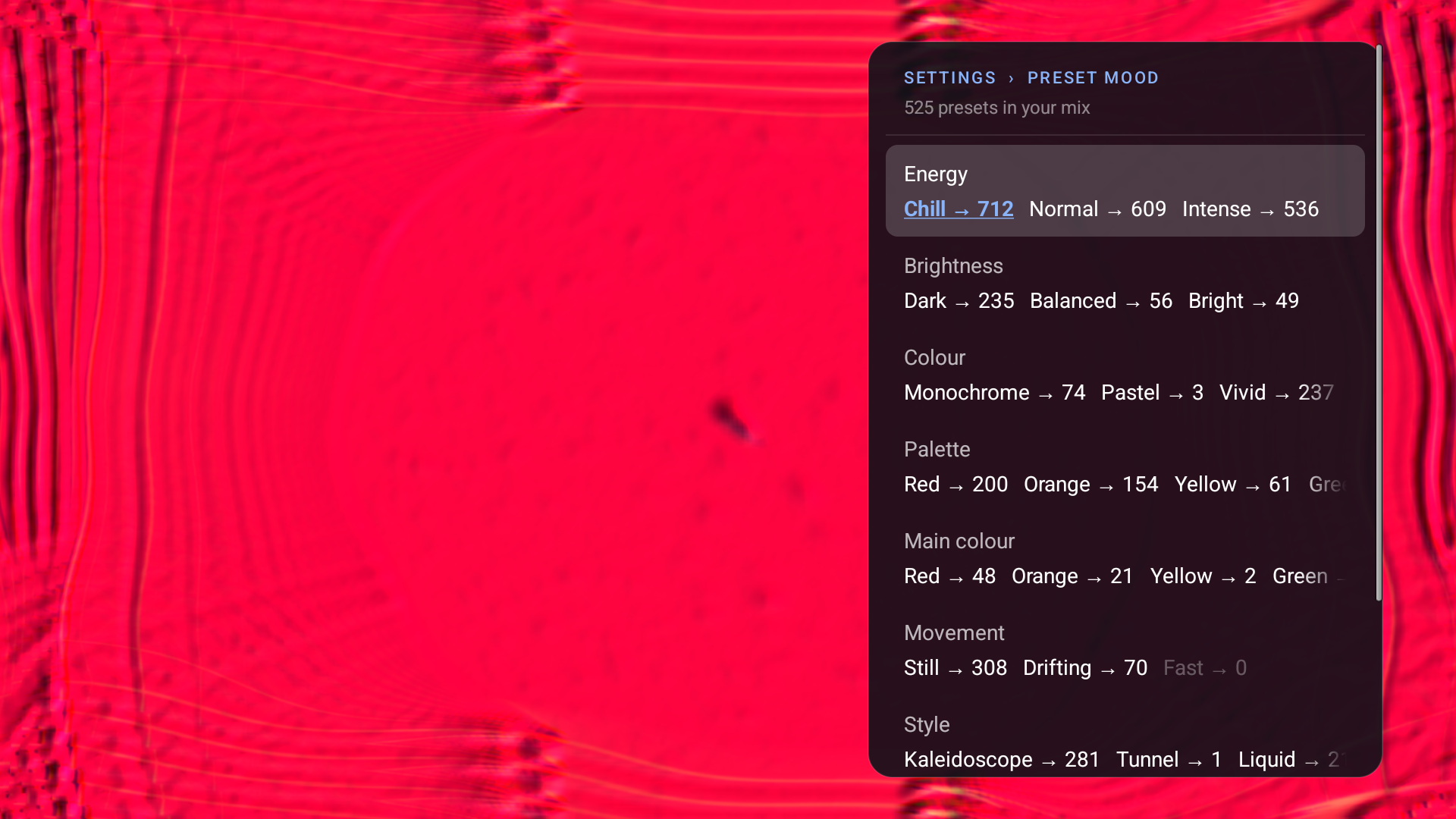
- The header always counts the mix: N presets in your mix (all available presets when nothing is selected), with few presets: some repetition under 20, or Custom pack: N presets while Custom plays. No presets match your mix; playing All appears when every match is skipped on this device or a deselection leaves no preset that fits every group.
- A Collection row (Built-in or Custom) appears when a custom pack exists or Custom is chosen.
- Each group (Energy, Brightness, Colour, Movement, Style, Comfort) is one row. Left and Right move between its options, and Center (or a tap on phones) switches the highlighted option on or off. Every option shows → N, the number of presets you would have if you toggled it (for a selected option, the mix without it). Options that would leave no presets are dimmed and skipped.
- Clear all removes every selection, so all presets play. While Custom plays it stays dimmed and your saved options are kept. Back returns to the main panel, and the panel hides after 10 seconds without input.
If the current preset is still in the mix after a change, it keeps playing; otherwise the visualizer cuts to a preset that is. Previous-preset history restarts with the new mix. See Preset moods.
The settings reference describes every row.